RNS Logo

rns.recipes

◈ 9ce92808be498e9e05590ff27cbfdfe4
Service restored

T-deck micropython firmware

Showcase

Started by circfruit ·

edited #1

I think I should have made this topic a while ago, but it's better late than never 😄
You probably know of the Micropython reticulum port I made a while a go. I try to keep it up to date with the new RNS versions, while omitting some to match the constraints of esp32s3.


As a sister project, I started T-deck V1 and Plus firmware which is based on Micropython port, but adds UI, specific for the T-deck hardware. This firmware has the following features:


  • TCP and LoRa client interfaces (UDP also supported, but not exposed)
  • LXMF client:
    a. image support - opens webp and jpeg
    b. voice support - send and receive codec2 (medium quality only)
  • Nomadnet client
  • rnsh client
    a. 80 cols terminal
    b. font is a bit small, but on 640x480 screen, that's the best I could do.
  • RRC client


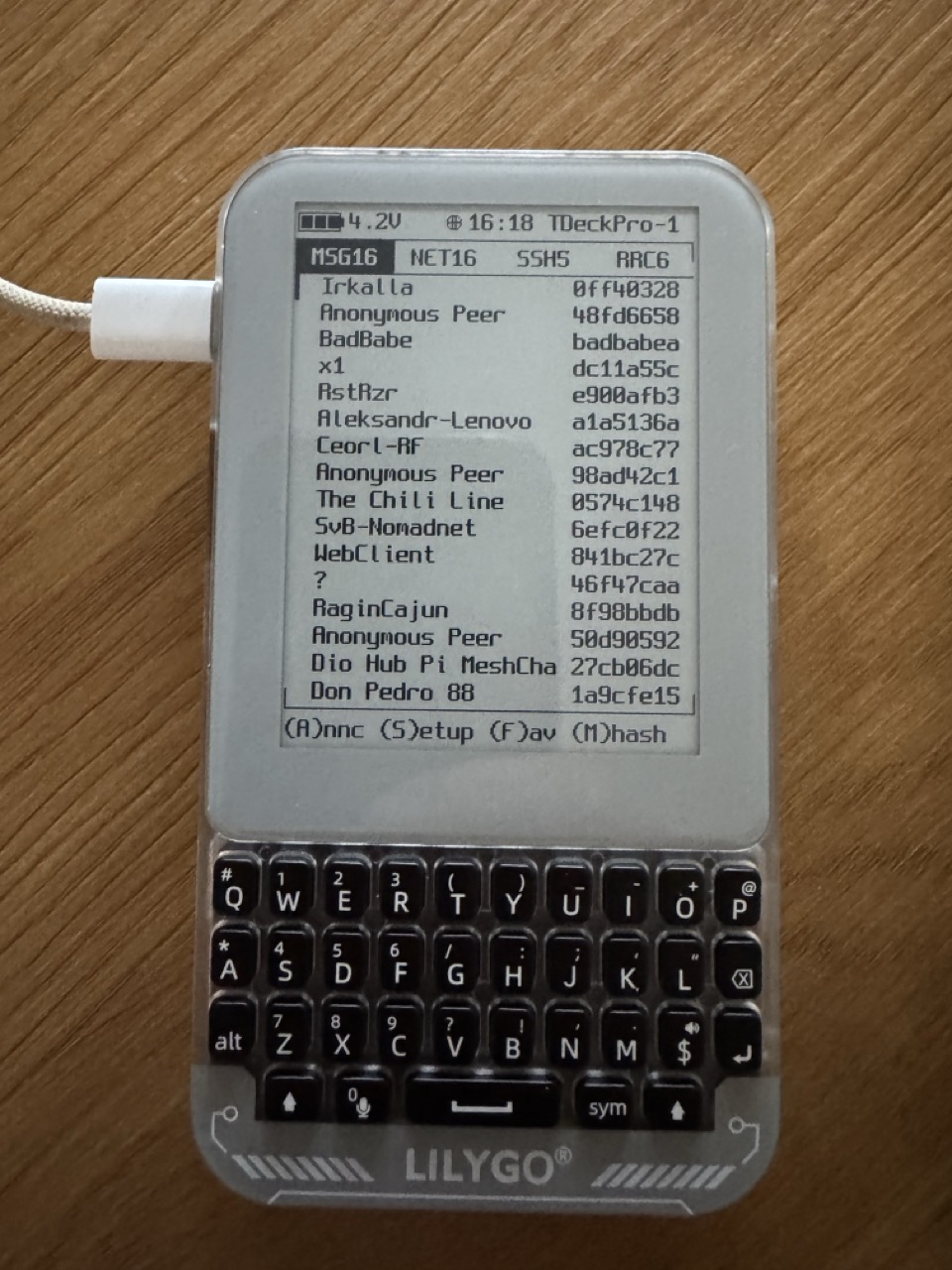
Anyway, the reason for this post is actually T-deck Pro which I got today and was able to fairly easy get working with the existing firmware. There are still some e=paper specific tweaks I need to make, but it's generally working fine 😁 I'll upload the firmware probably tomorrow to the repo above and will make a showcase Youtube video.

 

tdeck.jpeg

#2

This is epically cool as is your existing T-Deck firmware (including the cyberpunk-retro DTMF interface). Excited to try it out!!

NONGKHAEM_BKK_TH e23e9a470d42f05d...
#3

Incredible. You found a way to make me spend even more money on gizmos :) :)

burger ace748e1c4e3fd4e...
#4

cool stuff, heres 2 internet points!

edited #5

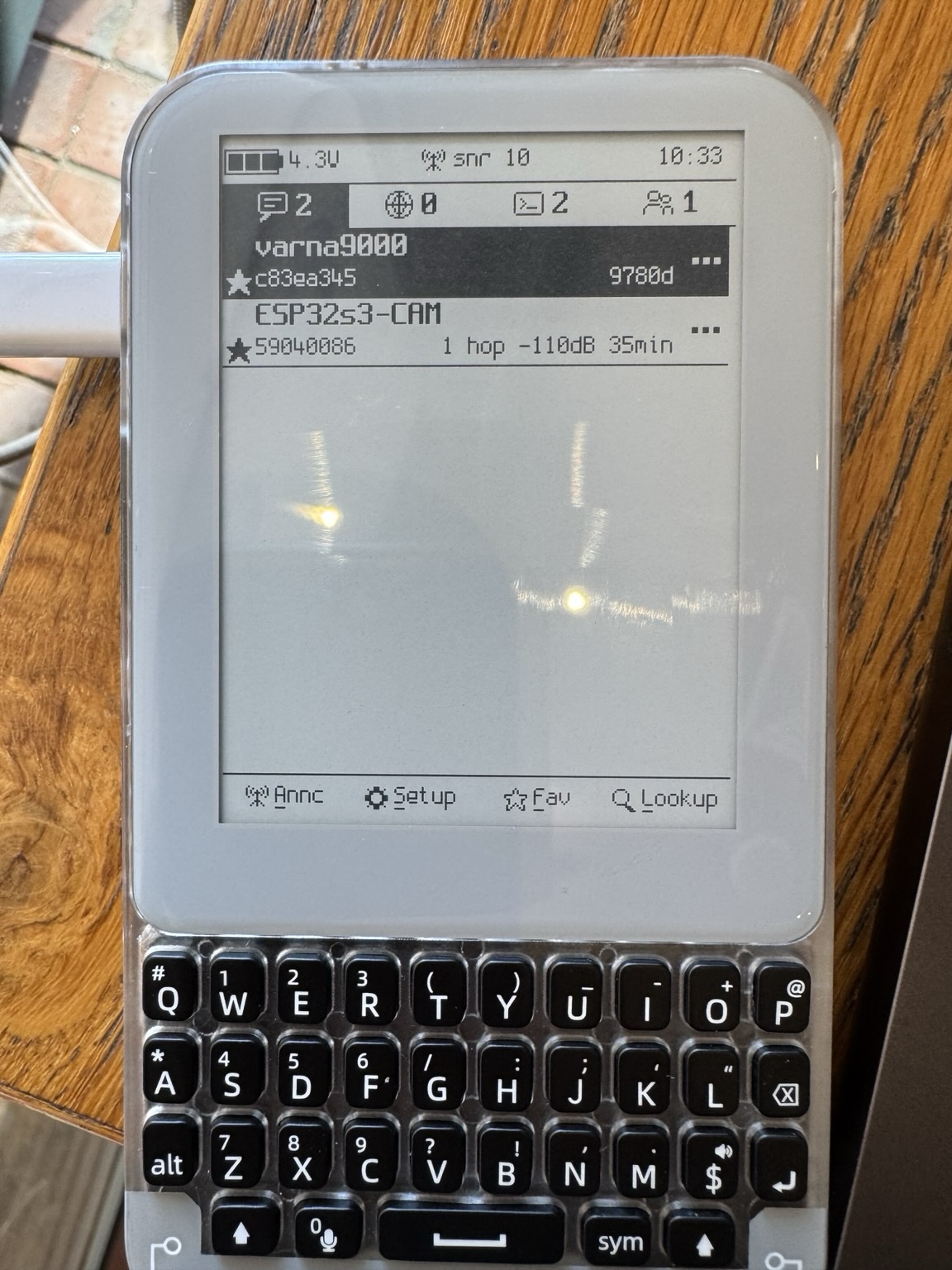
I started working on accommodating the UI for the touch sensor of Pro. I've put some icons and refactored the interface to suit the finger tapping. I quite like how it turns out and might nick some of the features for the v1 and Plus version.


Additional improvements:

  • implemented power save mode for all version - putting esp32s3 in light sleep, not only screen off; on wifi- only screen off.
  • haptic feedback on touch - I'm still hesitating whether this should be default as it drains the battery quicker. I'll include on/off setting.
  • screen list scrolling with tap and drag on right screen side
  • RNS apps (tabs) can be changed with swipe left and right or tapping the tabs. Swipe gesture is not very responsive, but works, I'd use mainly taps.
  • node rows take two lines, better for touch and looks more contemporary
  • LXMF DM chat - I tried how would text appear in baloons but doesn't look good on this screen width and e-ink. Nevertheless I tried to make it prettier than simple irc-like ui.
  • Context menu - tapping the three dots shows a context menu of Actions on the node.


Once i complete it I'll post a video. Here's a teaser of the new UI
new-ui.jpg

#6

Ok I've uploaded the new 1.11.0 Release.


Improvements:

  • major reduction of sleep current for Pro - around 7mA (on LoRa interface)
  • improved scrolling speed
  • improved swipe sensitivity
  • haptic feedback toggle switch
  • small fixes and UI improvements.
#7

I've uploaded new 1.11.1 bug fix release


The power management was broken for Pro - despite being in LoRa mode, when no wifi AP was found the wifi chip kept searching and never let the device go to proper sleep, thus draining the battery. This is fixed now.

Post a Reply

Supports Markdown: **bold**, *italic*, `code`, ```code blocks```, [links](url)

Log in to upload images

Quote
Copied to clipboard